

Every team that works with images, videos, audio files, and documents eventually faces the same question: should we keep using scattered folders across drives and cloud apps, or invest in a single centralized management system? The answer depends on your asset volume, team size, and how much time you can afford to lose hunting for files.
This comparison breaks down the practical differences between these two approaches so you can make an informed decision.
What Are Fragmented Folders?
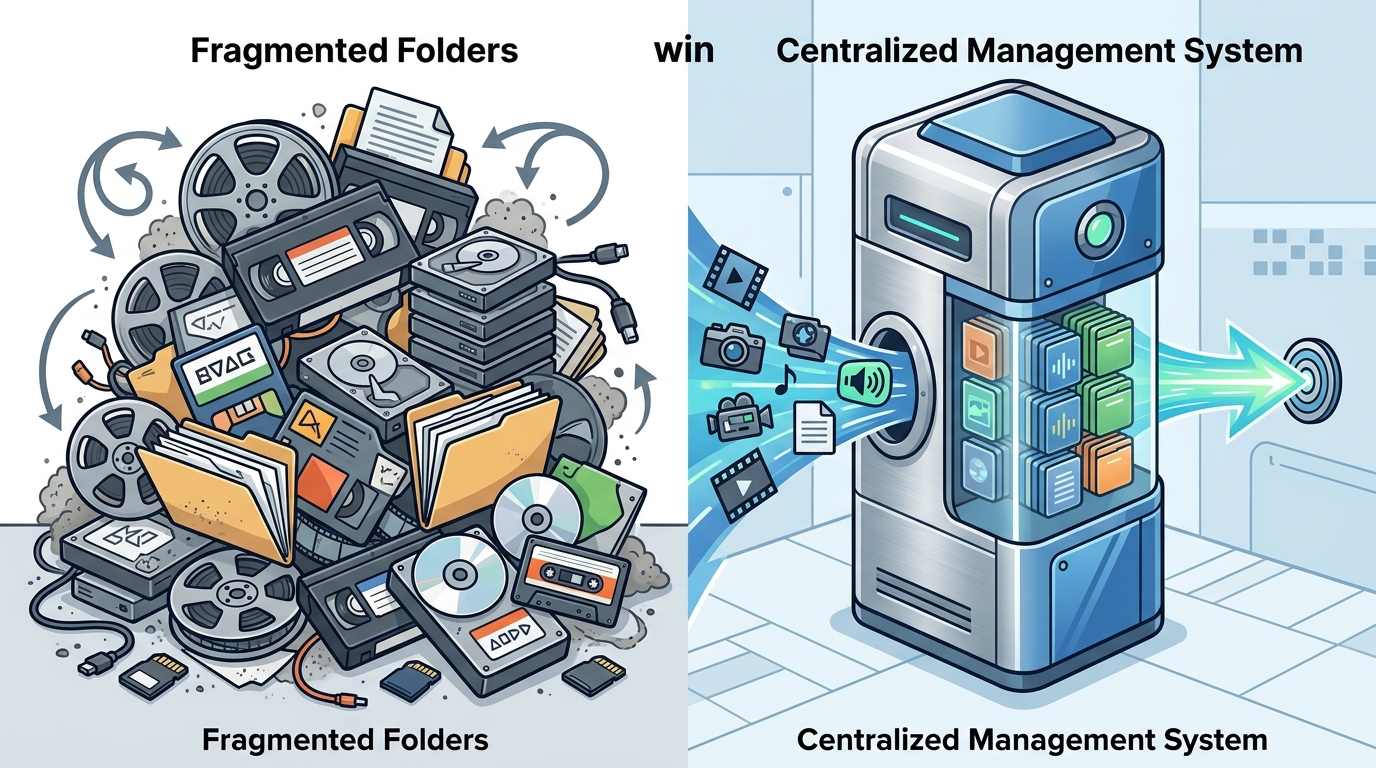
Fragmented folders are the default state most organizations fall into. Media files end up stored across local hard drives, shared network drives, email attachments, Slack threads, Google Drive directories, Dropbox accounts, and USB backups. Each team member or department creates their own naming conventions and subfolder structures.
The approach works passably when a team is small and the asset count stays under a few hundred files. A three-person design studio managing 500 project files can often function efficiently with organized cloud storage. But cracks appear quickly once multiple people need to access, update, and share the same media.
What Is a Centralized Management System?
A centralized management system—often called a Digital Asset Management (DAM) or Media Asset Management (MAM) platform—stores every media asset in a single, searchable repository. Files are enriched with metadata tags (campaign name, product line, usage rights, creation date) so that any authorized user can find them through search rather than by remembering a folder path.
Modern platforms add AI-powered auto-tagging, version control, permission-based access, and integrations with creative tools like Adobe Creative Cloud and content management systems.
Head-to-Head Comparison: Seven Critical Dimensions
| Dimension | Fragmented Folders | Centralized System |
|---|---|---|
| Search & Discovery | Requires knowing the exact folder path or file name | Metadata-driven search with filters, AI recognition, and visual similarity |
| Scalability | Breaks down beyond a few thousand assets | Handles millions of files across terabytes of storage |
| Version Control | Manual—rename files with suffixes like "_v2_final_FINAL" | Automatic version tracking with rollback capability |
| Collaboration | Files emailed, re-downloaded, and duplicated constantly | Shared access with role-based permissions and approval workflows |
| Brand Consistency | Outdated logos and off-brand assets circulate freely | Single source of truth with only approved, current assets available |
| Cost of Duplication | Same asset recreated because no one can find the original | Existing assets surface through search, eliminating redundant production |
| Security & Compliance | Minimal control over who accesses what | Granular permissions, audit trails, and rights management |
The Real Cost of Fragmented Folders
1. Wasted Search Time
Research consistently shows that employees in organizations without centralized systems spend significant portions of their workweek searching for files. One industry analysis found that creative teams waste an average of 8.3 hours per week searching for files across disconnected storage systems, costing thousands of dollars annually in lost productivity. With a centralized system, average search time can drop from 8 minutes per query to roughly 30 seconds.
2. Duplicate Asset Creation
When people cannot find existing files, they recreate them. A photo of an office might sit in a folder called “Launch Campaign” while the HR team searches for “office photo” and comes up empty. Without descriptive metadata, perfectly usable assets become invisible, and budgets are spent producing content that already exists.
3. Brand Erosion
Without a governed library, outdated logos, superseded brand guidelines, and unapproved creative assets slip into presentations, social posts, and partner communications. The resulting inconsistency undermines customer trust and professional credibility.
4. Collaboration Bottlenecks
Fragmented storage forces teams into manual file-transfer routines—email attachments, FTP uploads, messenger file drops. Important collaborative conversations get lost in inboxes, and nobody is certain whether they are working with the latest version.
Where a Centralized System Excels
Metadata-Powered Findability
Centralized systems replace guesswork with structured metadata. Each asset can be tagged with keywords describing its category, color, subject matter, product relationship, campaign, region, and usage rights. AI-powered tagging accelerates this process by automatically classifying assets as they are uploaded. Users can then search by any of these attributes rather than needing to remember where someone saved a file months ago.
Single Source of Truth
A centralized platform ensures that every team—marketing, creative, sales, and external partners—accesses the same approved, up-to-date content. Version control tracks every change automatically, and outdated files can be archived or replaced without leaving stale copies floating around shared drives.
Scalable Storage and Access
DAM platforms can manage millions of files spanning multiple terabytes, leveraging cloud storage services such as Amazon S3, Microsoft Azure, and Google Cloud. This scalability matters as asset libraries grow, because folder-based systems become unmanageable at volume while centralized platforms maintain fast, reliable access.
Integration With Creative Workflows
Modern centralized systems plug into the tools teams already use—Adobe Creative Cloud, Microsoft 365, content management systems, PIM platforms, and social publishing tools. Assets flow from creation through review, approval, and distribution without leaving the ecosystem.
When Folders Are Still Good Enough
Not every organization needs a full DAM deployment on day one. Folders can work well under specific conditions:
- Small team (under five people) with a manageable asset count below roughly 1,000 files
- Simple media types—mostly documents and a few images, not large video or audio libraries
- Single location or department without cross-team sharing requirements
- Tight budget where a lightweight cloud storage tool like Google Drive or Dropbox provides enough structure
The key inflection point typically arrives around 5,000 or more digital assets, or when multiple teams need simultaneous access to shared files. At that threshold, the time and money saved by centralized search and governance outweigh the cost of the platform.
How to Transition From Folders to a Centralized System
- Audit your current assets. Identify where files live, how many duplicates exist, and which assets are used most frequently.
- Define your taxonomy. Decide on a folder hierarchy, metadata schema, and naming conventions before migrating anything. Three core elements matter: taxonomy (how assets are grouped), metadata (descriptive tags), and controlled vocabularies (standardized keyword lists).
- Start with high-impact assets. Migrate the files people request most often first—brand logos, product images, campaign templates—so the system delivers immediate value.
- Automate tagging. Use AI-powered tagging to classify assets on upload, reducing manual effort and ensuring consistency from the start.
- Train your team. Provide training on search best practices, metadata entry, and collaboration features so adoption sticks.
- Set governance rules. Define who can upload, edit, download, and share assets. Implement approval workflows to maintain quality.
Key Takeaways
- Fragmented folders work for small teams with limited asset volumes but collapse under scale, leading to wasted time, duplicated work, and brand inconsistency.
- Centralized management systems solve findability through metadata and AI-powered search, reducing average asset search time dramatically.
- Version control, permissions, and audit trails in centralized platforms protect brand integrity and reduce compliance risk.
- The typical inflection point for switching is around 5,000 assets or when multiple teams need shared access.
- Starting your migration with high-use assets and AI-assisted tagging accelerates time-to-value.
Frequently Asked Questions
Can Google Drive or Dropbox replace a centralized management system?
Cloud storage tools are designed for general file sharing, not brand asset management. They lack metadata-powered search, version-controlled distribution, permission-based governance, and deep integration with marketing and creative systems. Many organizations start with cloud storage and migrate to a dedicated platform as their asset library outgrows basic folder structures.
How much time does a centralized system actually save?
The savings vary by organization, but industry data suggests that average file search time can drop from around 8 minutes to 30 seconds per query. Across a team, that translates to hundreds of reclaimed hours per year. One brand reported saving 5 hours of search time per week after centralizing their assets.
What is the difference between DAM and MAM?
Digital Asset Management (DAM) covers a broad range of file types—images, documents, presentations, and design files. Media Asset Management (MAM) is a specialized subset focused specifically on rich media like video, audio, and broadcast content, with features tailored for post-production workflows including transcoding and frame-level metadata.
At what point should an organization switch from folders to a centralized system?
The typical inflection point is around 5,000 or more digital assets, or when multiple teams need simultaneous access to shared media files. If your team regularly struggles to find files, recreates assets that already exist, or uses outdated brand materials, it is time to evaluate a centralized solution.
Does a centralized system eliminate folders entirely?
No. Most DAM platforms still use folder hierarchies as one layer of organization, but they add metadata, search, filters, and collections on top. The difference is that users are not limited to navigating folders—they can search by any attribute attached to an asset.