

Whether you run a brand blog, manage social channels, or oversee a full digital media operation, the sheer volume of content you produce can spiral out of control fast. This ultimate guide walks you through the systems, tools, and mindset shifts that keep everything findable, consistent, and effective — no matter how many platforms you publish to.
Why Multi-Platform Organization Matters More Than Ever
Audiences today are scattered across an ever-growing number of channels — blogs, email, YouTube, TikTok, LinkedIn, X, Instagram, podcasts, and more. Relying on a single channel is risky: algorithms shift, platforms change direction, and you lose control over how your content gets seen. A multi-platform presence insulates you from those shocks, but only if you can keep everything organized.
Without deliberate systems, teams waste hours hunting for files, duplicate effort, and publish inconsistent messaging that dilutes brand trust. The goal is not to work more — it is to work smarter with systems that scale alongside your output.
1. Build a Centralized Content Hub
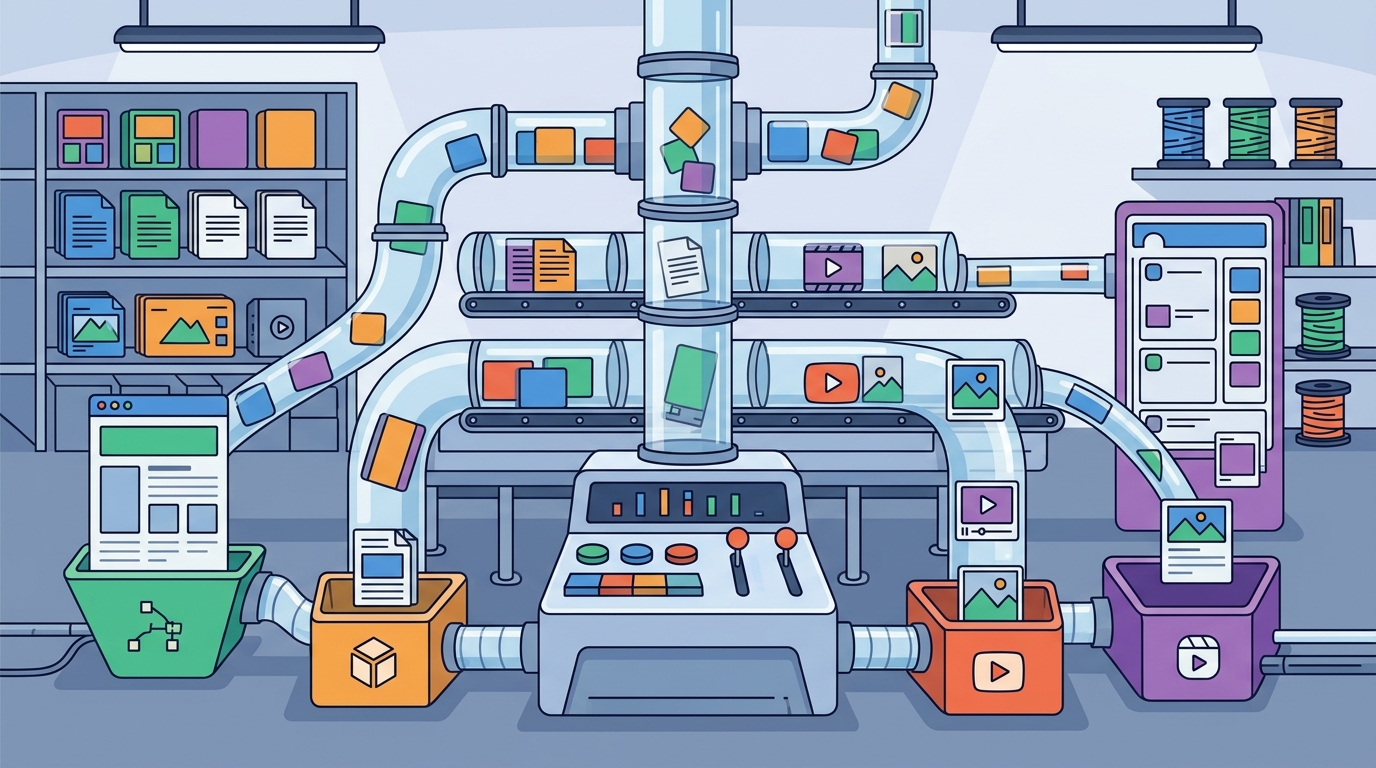
The single most impactful change you can make is consolidating all content assets — drafts, images, videos, copy docs — into one accessible location. A content management system (CMS) can simplify this by allowing you to centralize content in one place, reuse and repurpose it across different platforms, automate updates, and track performance. Options range from enterprise platforms like WordPress and Drupal to all-in-one workspaces like Notion, which integrates notes, tasks, databases, and project management tools into a single platform with customizable templates, integrated workspaces, and real-time collaboration.
Practical Setup
- Choose a CMS or workspace that matches your team size, budget, and technical skill level.
- Set permissions so every contributor can access assets without gatekeeper bottlenecks.
- Store everything — from raw footage to published links — in one hierarchy instead of scattered Google Drives and Slack threads.
2. Create a Tagging Taxonomy That Scales
Tags and metadata are the backbone of findability. Organize your content by tagging posts, creating categories, or grouping them based on campaigns, themes, or platforms. This ensures easy access whenever you need it. Metadata provides context, and context means flexibility — the more semantic information you attach to each piece of content, the better each platform and search tool can surface it.
Recommended Tag Dimensions
| Dimension | Examples |
|---|---|
| Content type | Blog post, video, infographic, podcast episode |
| Platform | Instagram, LinkedIn, YouTube, website, email |
| Campaign or theme | Q2 product launch, brand awareness, holiday promo |
| Funnel stage | Awareness, consideration, conversion, retention |
| Status | Draft, in review, approved, published, archived |
3. Design a Cross-Platform Content Calendar
A content calendar lets you take a big-picture approach to your strategy without losing the details. It helps you visualize ideas, organize them, and make execution easier across every channel. Planning content in advance gives you peace of mind day-to-day and frees up time for future brainstorming or those inevitable last-minute requests.
Calendar Best Practices
- Map at least two weeks ahead and have assets ready one week before publish date so you are never scrambling.
- Assign platform-specific columns — posting frequency, optimal times, format requirements, and hashtag strategies differ by channel.
- Colour-code by content pillar so you can visually spot imbalances at a glance. Pipeline queues that let you categorize content by colour coding, topic, platform, or campaign are especially useful.
- Leave flex slots for reactive or trending content opportunities.
4. Repurpose Strategically — Not Lazily
Repurposing means taking a single piece of content and converting it into other forms. Cross-platform content takes this one step further by ensuring the content aligns with the specific format, tone, and expectations of each platform. Simply copy-pasting the same post everywhere risks losing critical components and reduces engagement.
The Pillar-to-Platform Framework
- Start with a pillar asset — a long-form blog post, webinar recording, or podcast episode.
- Extract micro-content — pull a key takeaway and turn it into a social post; summarize a newsletter for a LinkedIn update; clip a 60-second highlight for Reels or TikTok.
- Optimize per channel — use square images for Instagram, vertical video for TikTok, landscape for YouTube. Adjust tone: more casual on Instagram, professional on LinkedIn.
- Revisit top performers — refresh older content that did well and give it a new angle for a different platform.
5. Adopt a Bulletproof File-Naming Convention
It sounds trivial, but being able to find your images, caption docs, and video clips is the first step to avoiding overwhelm when it is time to publish. Create a root folder and add subfolders for each platform or asset type — for example, 'Instagram Stories,' 'YouTube Thumbnails,' or 'Blog Feature Images.' Then use dates and descriptive titles when naming files. A name like 2026-04_Instagram_Post_SpringCampaign is infinitely more useful than IMG2398.jpg.
6. Essential Tools for Multi-Platform Content Management
You do not need to do everything manually. The right tool stack turns multi-platform publishing from chaotic to routine.
| Category | Tools | Key Benefit |
|---|---|---|
| Project management | Trello, Notion, Asana | Organize ideas into boards, lists, and cards by campaign or platform |
| Design | Canva, Adobe Express | Batch-create platform-specific visuals from one base design |
| Video repurposing | Lumen5, Repurpose.io | Convert blogs into videos; auto-adapt clips for Shorts, Reels, TikTok |
| Scheduling | Buffer, Hootsuite, Metricool | Schedule posts in advance across all channels from a single dashboard |
| Automation | Zapier, RSS feeds | Auto-distribute new blog posts to social queues |
| Analytics | Sprout Social, native platform insights | Unified performance dashboards and optimal send-time data |
7. Measure, Audit, and Iterate
Proper tracking is vital to creating a strategy with longevity. Keeping detailed metrics helps you optimize your plan over time. Focus on engagement metrics, conversions, and follower growth — the most common metrics social marketers track — and connect each metric to a business goal.
Quarterly Content Audit Checklist
- Quality: Check for errors, inconsistencies, or gaps in published assets.
- Relevance: Ensure content still matches current audience needs and platform algorithm changes.
- Impact: Measure success or failure against your KPIs — retire or refresh underperformers.
- Tooling: Re-evaluate whether your current tools still serve you. Has one become too expensive? Do you need to add another to your stack?
8. Understand Content Lifecycles per Platform
Not every piece of content ages the same way everywhere. A tweet may peak within hours; a YouTube video can generate views for years; a blog post sits somewhere in between. Recognizing these lifecycles helps you decide where to invest effort and when to repurpose or retire assets.
Three Lifecycle Tiers to Track
- Trending moments — micro shifts in consumer behaviour that spike and fade within days. TikTok and X thrive here.
- Consumer signals — medium-duration interest waves tied to seasonal events or product launches. Instagram and email excel.
- Macro trends — long-arc topics with extended shelf life. Blog posts, YouTube tutorials, and evergreen guides serve these best.
Mapping each asset to a lifecycle tier clarifies when to publish, when to boost, and when to let content retire gracefully.
Key Takeaways
- Centralize all assets in a single hub — a CMS or workspace — before distributing to platforms.
- Tag every piece of content with a consistent taxonomy covering type, platform, campaign, funnel stage, and status.
- Build your content calendar at least two weeks ahead and keep assets ready one week before publication.
- Repurpose from a pillar asset but always tailor format and tone to each platform's expectations.
- Standardize file naming and folder structures so anyone on the team can find what they need instantly.
- Audit your content and tools quarterly to eliminate waste, refresh stale assets, and stay aligned with platform changes.
- Focus on two or three platforms managed well rather than five managed poorly.
Frequently Asked Questions
What is the biggest mistake people make when managing content across platforms?
Posting identical content everywhere without adapting it. Each platform has a unique voice and audience expectation. Copy-pasting a LinkedIn article as-is to Instagram, for example, ignores format differences and typically results in lower engagement.
How many platforms should I focus on?
Two or three platforms managed well will outperform five managed poorly. Start by going where your audience already is, monitor where you are getting engagement and inbound interest, and expand only when your systems can handle it.
Do I need a CMS if I only manage social media?
A CMS is not mandatory for social-only operations, but some form of centralized hub — even a Notion workspace or Trello board — is essential. Without it, ideas, assets, and schedules get scattered across tools and direct messages, leading to duplication and missed deadlines.
How often should I audit my content organization system?
Every few months, do a check of how your system is doing. Review whether your home-base tool still works, whether templates need refreshing, and whether any new platform changes require workflow adjustments.
What tools help with cross-platform scheduling?
Popular options include Buffer, Hootsuite, Metricool, and Sprout Social. These let you schedule posts across multiple networks from one dashboard, often with built-in analytics and optimal send-time suggestions to maximize reach.